
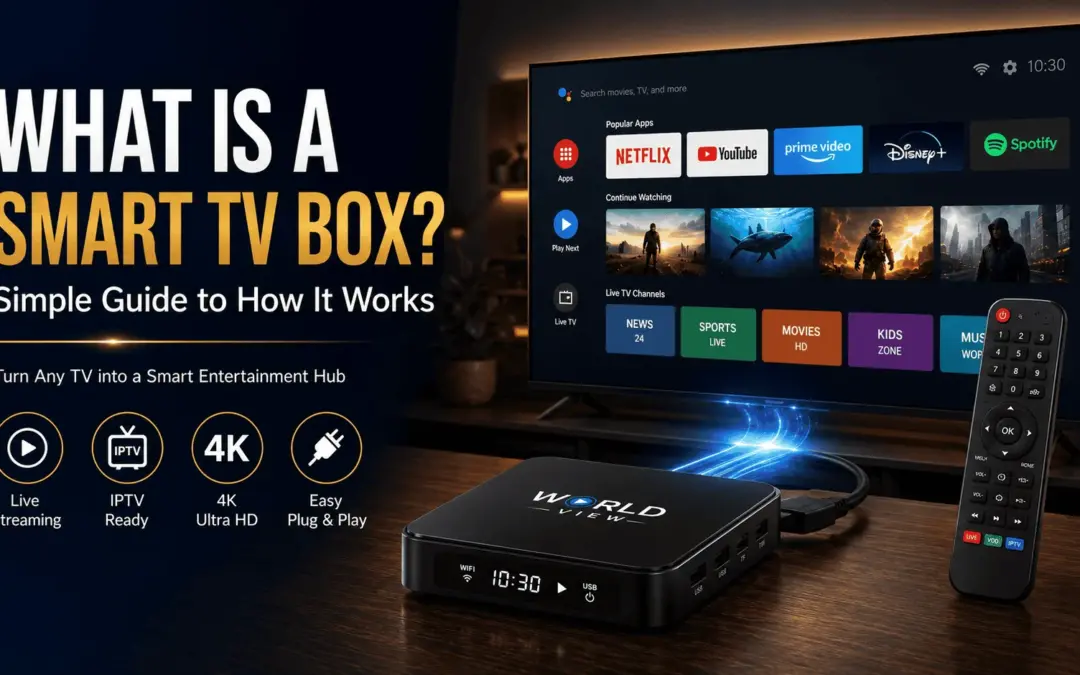
Your TV probably feels different than it did five years ago. Streaming replaced cable for a lot of households, and a small device sitting near the HDMI port made that possible. That device is a smart TV box.
A smart TV box is a small piece of hardware that connects to any television and turns it into a smart TV. It runs its own operating system, connects to your Wi-Fi, and lets you install apps like Netflix, YouTube, or an IPTV service. You don’t need a new television to get smart features, you just need this one box.
Here’s what it actually is, how it works under the hood, and which type makes sense for your living room.
What Exactly Is a Smart TV Box?
A smart TV box is a compact device, usually about the size of a deck of cards, that plugs into your TV through an HDMI port. Once connected, it gives your television internet access and app support, even if the TV itself is over a decade old.
Think of it as a bridge between your regular TV and the internet. The TV handles the picture and sound. The box does the thinking running apps, processing video, and pulling content from the internet.
People mix up a smart TV box with a smart TV fairly often. They’re related, but not the same device. More on that shortly.
How Does a Smart TV Box Actually Work?
Most smart TV boxes run on Android or a modified version of it. Open one up and you’ll find the same basic parts as a small computer: a processor, RAM, storage, and a Wi-Fi module. Some models throw in Bluetooth too, for wireless remotes or game controllers.
Here’s the sequence when you switch one on. The box connects to your home Wi-Fi. Its operating system loads a home screen full of app icons, not unlike a smartphone. When you open an app, the box pulls video data from the internet and sends it to your TV through the HDMI cable.
Because the box does the processing, your old TV isn’t doing any heavy lifting, it just displays whatever the box sends it. That’s why a $30 box can make a ten-year-old television stream in 4K, provided the screen itself can actually show that resolution.
Types of Smart TV Boxes You'll Come Across
Not all smart TV boxes look or work the same. Shopping gets easier once you know the categories.
- Android TV boxes are the most common type. They run Google’s Android TV or Google TV interface and support the Google Play Store, so you can install nearly any streaming or IPTV app.
- Streaming sticks are a smaller take on the same idea. Instead of a boxy shape, they look like a USB drive and plug straight into the HDMI port. Lighter and more portable, though usually less powerful than a full box.
- Media player boxes lean toward local playback movies stored on a USB drive or external hard disk in addition to streaming.
For South Asian households in Australia trying to combine streaming apps with IPTV channels, an Android TV box tends to offer the most flexibility, since it supports both the Play Store and third-party IPTV apps.
Smart TV Box vs Smart TV: What's Actually Different?
A quick side-by-side to help you decide what fits your setup.
| Feature | Smart TV | Smart TV Box |
|---|---|---|
| Built into the TV | Yes | No — external device |
| Upgradeable | No — tied to the TV's lifespan | Yes — replace separately |
| Performance | Often slower processors | Faster, dedicated hardware |
| App Support | Limited by TV brand | Broader (Android / Google Play) |
| Cost | Higher (new TV) | Lower (device only) |
A smart TV has the operating system and apps built directly into the television. A smart TV box is separate hardware you add to any screen. If your smart TV feels sluggish or is missing an app you actually want, a box usually fixes that without buying a new television a point PCWorld’s comparison makes well when weighing performance against convenience.
Apple’s tvOS and Google TV are two of the more recognizable platforms here, and both show up in either built-in TVs or standalone boxes, depending on the brand.
Setting Up a Smart TV Box: What You'll Need
Setup is simpler than most people expect. Before you start, you’ll need:
- An HDMI port on your television
- A stable Wi-Fi connection, or an Ethernet cable for a more reliable signal
- A power source, usually a USB cable or wall adapter
- Your TV remote, or the remote that ships with the box
Plug the box into an HDMI port, power it on, and select the right HDMI input on your TV remote. The box walks you through connecting to Wi-Fi and signing into your accounts. Most people are done in under ten minutes.
If you stream a lot of 4K content, Ethernet is worth the extra cable. Wi-Fi works fine for most households, but a wired connection cuts down on buffering, especially on older routers.
What Can You Actually Watch and Do With One?
A smart TV box opens up a wide range of content. Depending on what you install, you can stream movies, TV shows, sports, and music, or catch up on something you missed the first time around.
Most boxes include a voice remote, so you can search by speaking instead of hunting with arrow buttons. Higher-end models support 4K and HDR, which sharpens picture quality if your television can keep up.
Beyond mainstream apps like Netflix and YouTube, many boxes also support third-party apps, including IPTV services which brings us to something that matters a lot for South Asian households specifically.
Smart TV Box for IPTV: Why It Matters for Desi Households in Australia
If your household watches Pakistani dramas, Bollywood movies, or cricket from back home, a regular smart TV box on its own won’t get you there. You need an IPTV box, or a smart TV box that handles IPTV apps properly.
An IPTV box works a bit differently from a standard streaming box. Instead of pulling from apps like Netflix, it streams live TV channels and on-demand content over the internet, often including Geo TV, HUM TV, ARY Digital, and Indian entertainment channels, depending on your subscription.
Not every box handles this well. Cheaper models tend to buffer during live cricket matches, or simply don’t have the processing power for smooth playback across multiple channels. That’s why families relying on desi content usually go looking for a box configured specifically for IPTV, rather than a generic stick built mainly with Netflix and YouTube in mind.
If Pakistani, Indian, or broader South Asian channels matter to your household alongside regular streaming apps, choosing a box built for that saves a lot of frustration down the line.
How to Choose the Right Smart TV Box for Your Home
A few questions narrow this down fast:
- What apps do you actually need? If IPTV matters, check the box supports sideloading or has IPTV compatibility built in.
- How many people use it at once? Bigger households streaming across multiple screens need more RAM and processing power.
- What’s your budget? Entry-level boxes are fine for casual use, but heavier IPTV or 4K streaming benefits from mid-range hardware or better.
- Do you already own something? If you have an Apple TV, Chromecast, or Fire TV Stick, check whether it supports what you need before buying anything new, some of these devices restrict third-party app installs, which limits IPTV access.
There’s no single “best” box for everyone. It depends on what you’re watching and how many screens in the house need it.
Final Thoughts, Is a Smart TV Box Worth It?
For most households, yes. It’s a small investment against a real problem: a slow smart TV, a missing app, or no access to the channels your family actually watches. If South Asian content is part of that picture, a box built for IPTV is the difference between smooth viewing and constant buffering.
Looking for a box already set up for South Asian channels and streaming apps together? World View HD’s IPTV service is built with exactly that household in mind.
Frequently Asked Questions
Do I need a smart TV box if I already have a smart TV?
Not always. If your smart TV already runs the apps you need without lagging, you probably don’t. A box earns its keep when your TV feels slow, is missing an app, or can’t handle IPTV properly.
Is a smart TV box good for watching Pakistani or desi channels?
Yes, as long as it supports IPTV apps and has enough processing power to handle live streaming without constant buffering. Not every box is built equally for this.
What's the difference between a TV stick and a TV box?
A stick is smaller and plugs directly into the HDMI port. A box is a separate unit connected by cable, usually with more processing power and better cooling since it isn’t as cramped.