
How to Renew Your World View HD Subscription
Home »
Doing a World View HD recharge is simple: your box just needs a Recharge Code to renew your subscription, whether it’s still active or has already expired. You don’t need any technical skills. You just need your code and two minutes.
This guide walks you through the complete World View HD recharge process for both situations, so you can get back to watching your favorite channels, including the Indian and Pakistani channel packages popular with South Asian diaspora audiences in Australia and beyond, without confusion or delay.
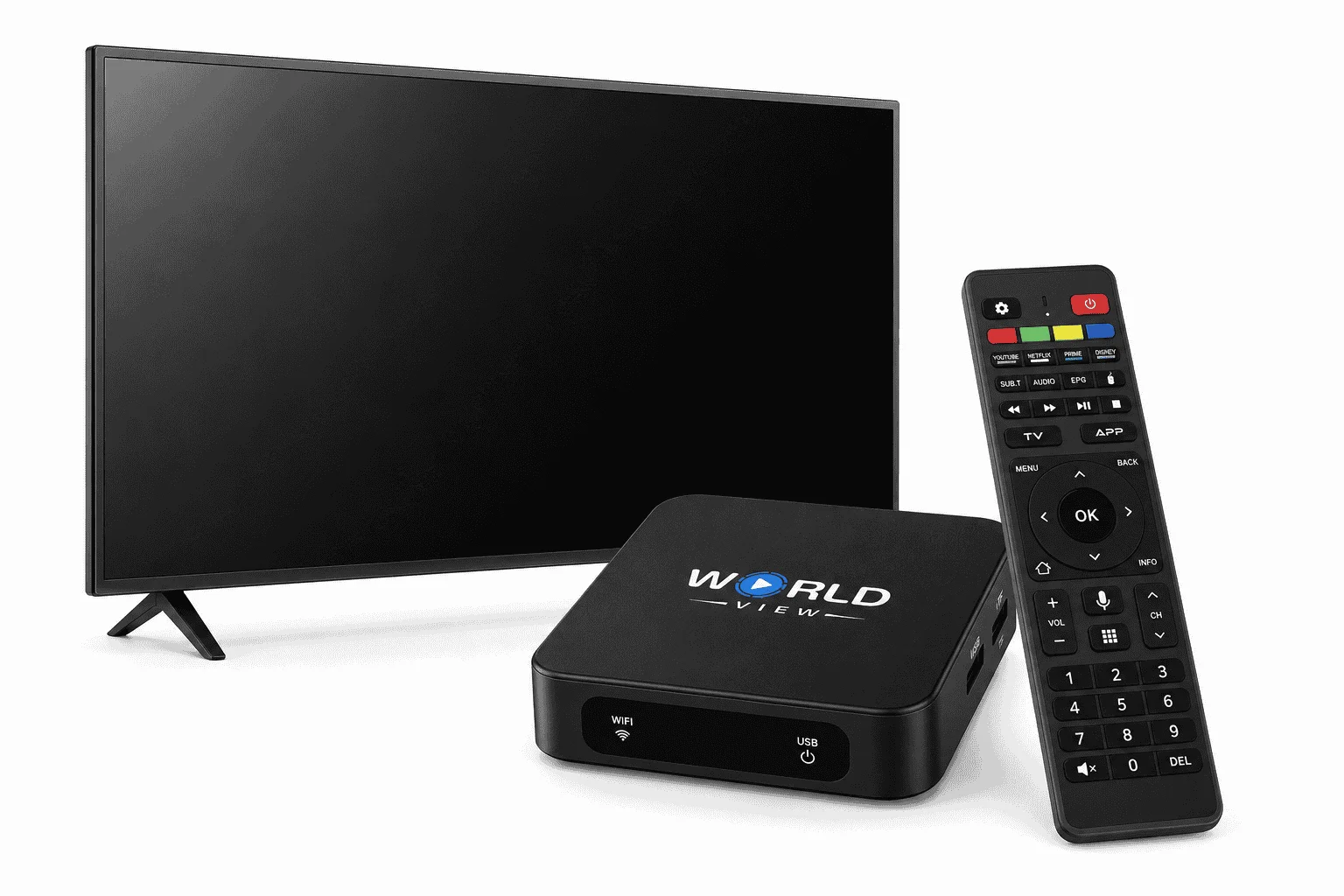
Which Code Do You Actually Need?
Before we go further: your Recharge Code is not the same as your Activation Code that’s only used the first time you set up a brand-new box. If you’re setting up a box for the first time, use our Activation Code guide instead; if you’re renewing an existing one, keep reading.
How to Check If Your IPTV Subscription Is Still Active
Before you renew, it’s worth checking your current subscription status. This tells you which case applies to you, because the renewal process works a little differently depending on whether your plan is still running or has already expired.
To check your status, go to the Settings menu on your World View HD box. Your subscription status appears clearly on this screen, along with the date your current plan ends. If your channels are still loading normally, your subscription is most likely still active. If channels have stopped playing or you see an expiration notice on your screen, your subscription has expired.
Once you know your status, follow the steps in the matching section below.
01
Renewing an Active Subscription
If your subscription hasn’t expired yet, you’re in a great position. You can renew early and avoid any interruption to your viewing at all.
Steps to Renew Your Active WVHD Subscription
Follow these steps to renew:
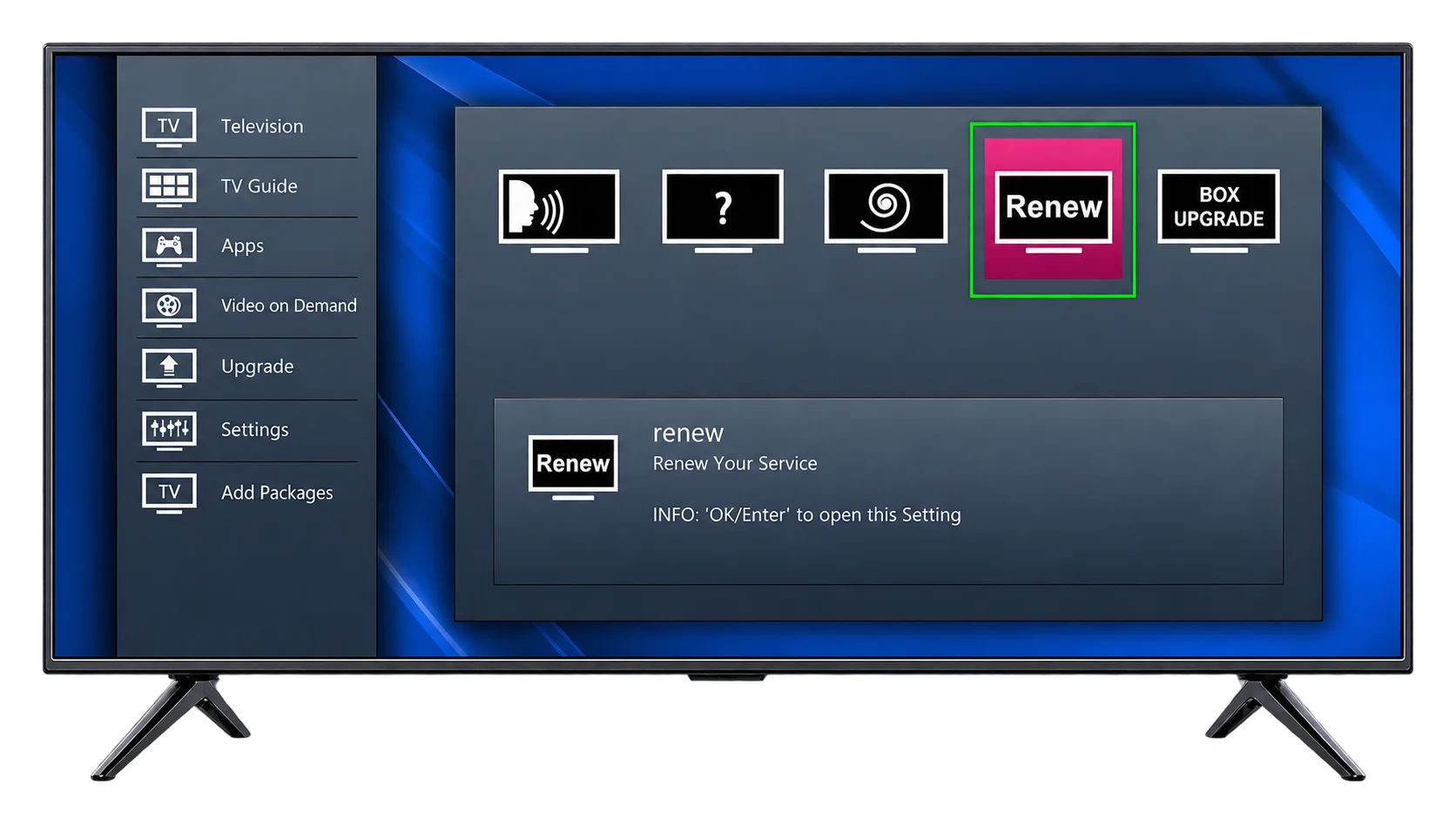
- Open the Settings menu on your World View HD box.
- Select the Renew option. You’ll find this listed among your subscription settings.
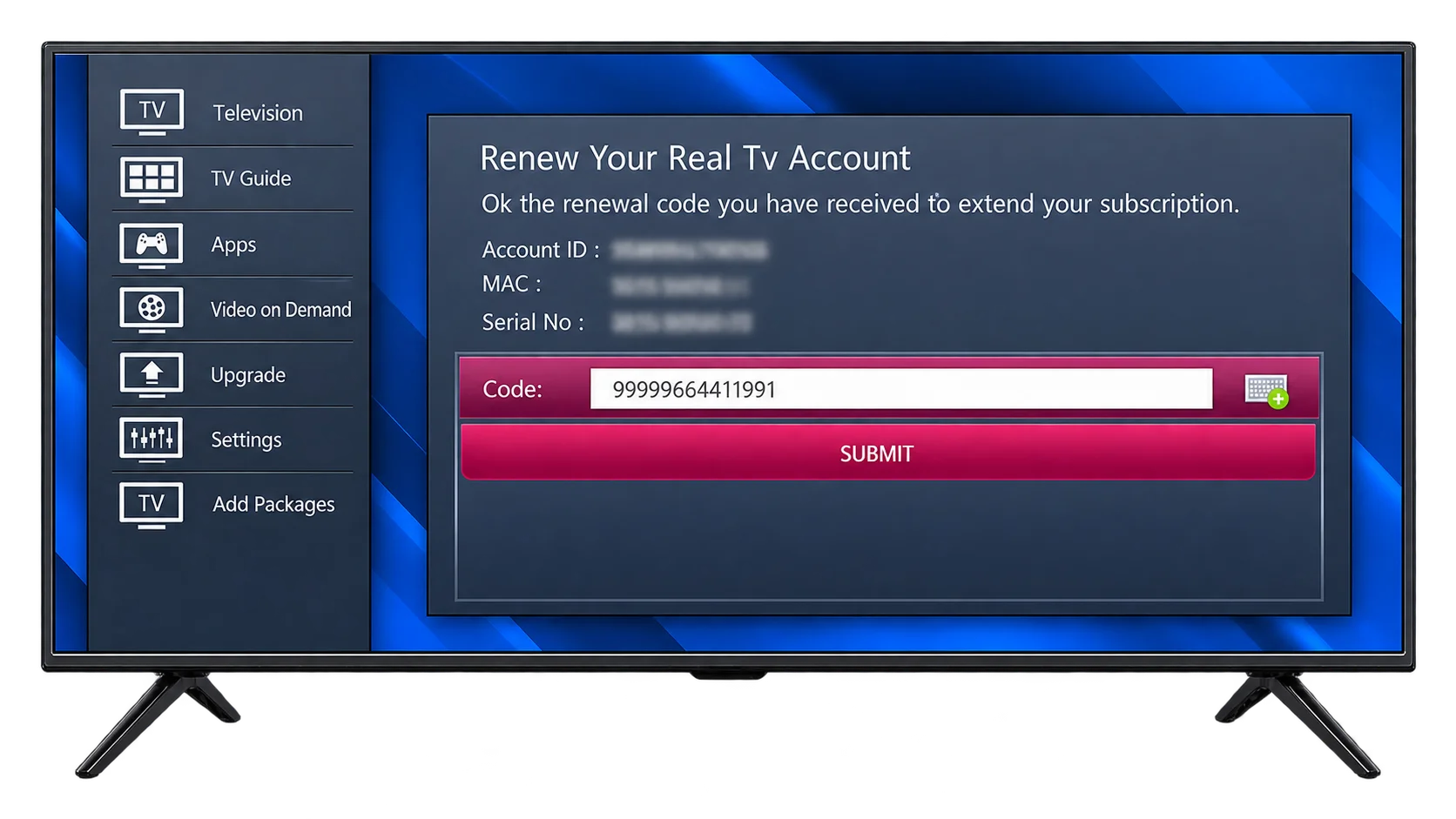
- Enter your Recharge Code into the input field provided.
- Tap Submit to confirm.
- Done. Your subscription is now activated for another cycle, and you can keep watching without any break in service.
Because you renewed while your subscription was still active, your new validity period simply extends on top of your current one. Your channels won’t stop working at any point during this process.
Don't Have a Recharge Code Yet?
If you haven’t purchased your Recharge Code yet, you have two straightforward options. You can buy your World View HD Recharge Code directly here. Once you have your code, return to the steps above and enter it in the Renew field.
02
Renewing an Expired Subscription
If your subscription has already expired, don’t worry. This happens to a lot of users, and getting your channels back is quick.
Steps to Reactivate an Expired WVHD Subscription
Because your subscription has already run out, the process is slightly more direct than Case 1:
- Enter your Recharge Code straight into the input field on your box. You won’t need to navigate through the Renew menu first, since your box will prompt you for a code once it detects an expired subscription.
- Submit the code.
- Access your channels as usual. Your subscription reactivates, and you can start watching again right away.
Is It Safe to Renew Your IPTV Subscription Online?
Yes, renewing your subscription online is safe, as long as you buy your Recharge Code from an authorized source. This matters more than most users realize, because the IPTV space unfortunately includes plenty of unofficial sellers offering codes that are expired, stolen, or simply fake.
Here’s how to make sure you’re renewing safely:
- Buy only from World View HD or an authorized dealer. Avoid codes shared through random forums, social media groups, or unknown resellers, even if the price looks tempting.
- Expect instant delivery. World View HD delivers your code instantly, both on-screen and by email, the moment your payment clears. If a seller asks you to wait days for your code, that’s a warning sign.
- Keep your confirmation. After you purchase, save your email confirmation as proof of purchase, in case you ever need support.
Buy your Recharge Code only through official World View HD channels; it’s issued specifically for your account, so no one else can use it. If you ever have doubts about a purchase, check our Refund Policy or reach out to World View HD support before entering any code you’re unsure about.
How Long Does It Take for the Recharge to Activate?
Your World View HD subscription activates instantly once you submit a valid Recharge Code. You don’t need to wait hours, and you don’t need to restart your box for the update to take effect.
This is one area where World View HD stands apart from many smaller IPTV resellers, some of which take anywhere from a few minutes to several hours to process a manual renewal. World View HD processes your code the moment you hit Submit, so your channels come back on right away.
Recharge Not Working? Here's How to Fix It
Even though the recharge process is simple, a few things can occasionally go wrong. Here’s how to fix the most common issues.
Your Recharge Code Isn’t Accepted
If your box rejects your code, first double-check that you’ve entered every character correctly. If the code still doesn’t work, confirm that you purchased it from an authorized World View HD source and not a third-party reseller, and reach out to World View HD support. Our team is available 24/7 with an average response time under one hour.
Channels Aren’t Loading After a Successful Recharge
If your recharge went through but your channels still won’t play, restart your World View HD box. Unplug it, wait about ten seconds, and plug it back in. This simple step clears any temporary glitch and forces your box to reload your updated subscription data.
Your Box Still Shows “Expired” After You’ve Paid
If your box still displays an expired message even after a successful payment, give it a few minutes and restart the device. If the issue continues, reach out to World View HD support with your payment confirmation on hand. Our support team is available 24/7, with an average response time under one hour.
FREQUENTLY ASKED
Curious About World View HD Recharge? We've Got You Covered

Is my Recharge Code the same as my Activation Code?
No. Your Activation Code is used only once, when you first set up a brand-new World View HD box. Your Recharge Code is used every time you renew an existing subscription. You’ll need an Activation Code before you can ever use a Recharge Code.
What happens if I don't renew before my subscription expires?
Your channels will stop playing once your subscription expires. However, your box and account remain intact, so you can restore access at any time simply by entering a new Recharge Code, following the steps for Case 2 above.
Can I renew early, before my current plan ends?
Yes. You can renew at any point while your subscription is still active by following the steps in Case 1 above. Renewing early means your new validity period adds on top of your remaining time, so you never lose access to your channels.