
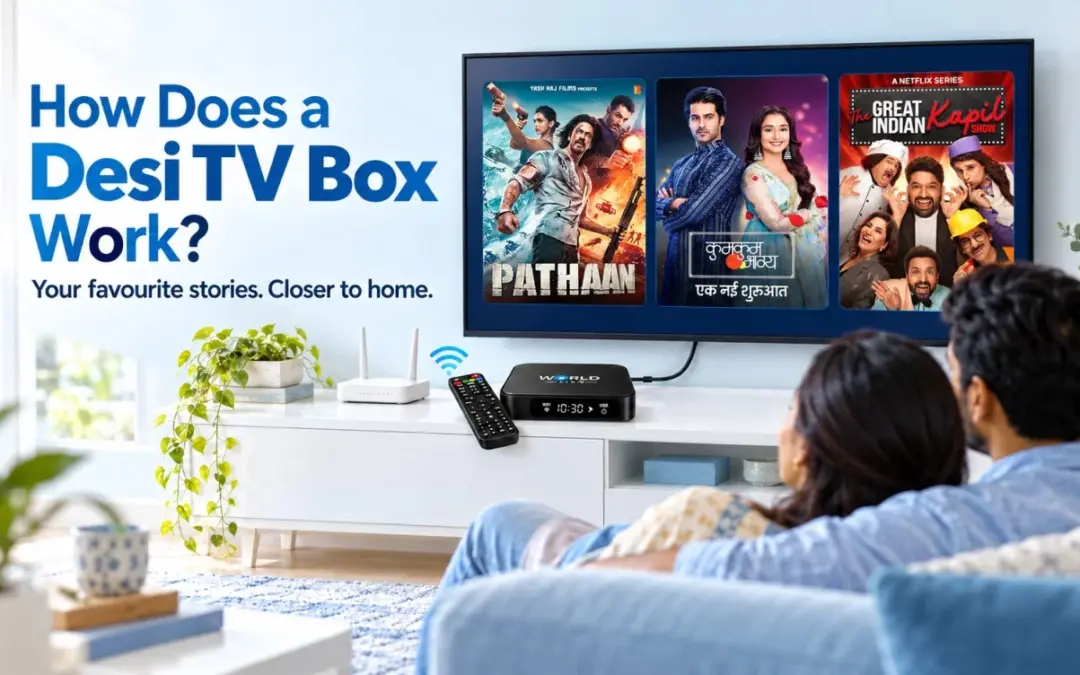
It is Sunday evening, and you live far from home. Your family still wants tonight’s serial on the big screen, not on a phone. A Desi TV Box makes that possible.
A Desi TV Box is a small streaming device that plugs into your TV. It connects to your internet and, with an active subscription, plays Indian movies, serials, and live channels from a simple on-screen menu. You control everything with a remote.
To be clear, it is a physical box, not a website or an app. This resource will help you understand how the box works, what comes with it, and what watching feels like, using World View HD as an
example, so you know what to expect before you start.
What Is a Desi TV Box?
If you wonder what a Desi TV Box is, the short answer is simple. It is a compact IPTV box that turns an ordinary TV into an Indian entertainment screen. IPTV means television that arrives over the internet instead of through a dish or a cable. The available content, like movies, serials, and live channels, depends on the streaming service you use.
Think of it this way. Your TV is the screen, the box is the brain, and the internet is the road that brings the shows home. The TV only displays the picture. The box does the work of finding, loading and playing what you choose.
Box, website or app? Here is the difference.
- A box is hardware. It is a physical device that sits next to your TV.
- A website opens in a browser on a phone, tablet or computer.
- An app is software that you install on a device, such as a phone or a smart TV.
People often mix these up, and that is completely understandable. However, the difference matters. A box brings your viewing into one place, so you do not need to piece together separate sites and apps.
How Does a Desi TV Box Work? Four Steps From Internet to Screen
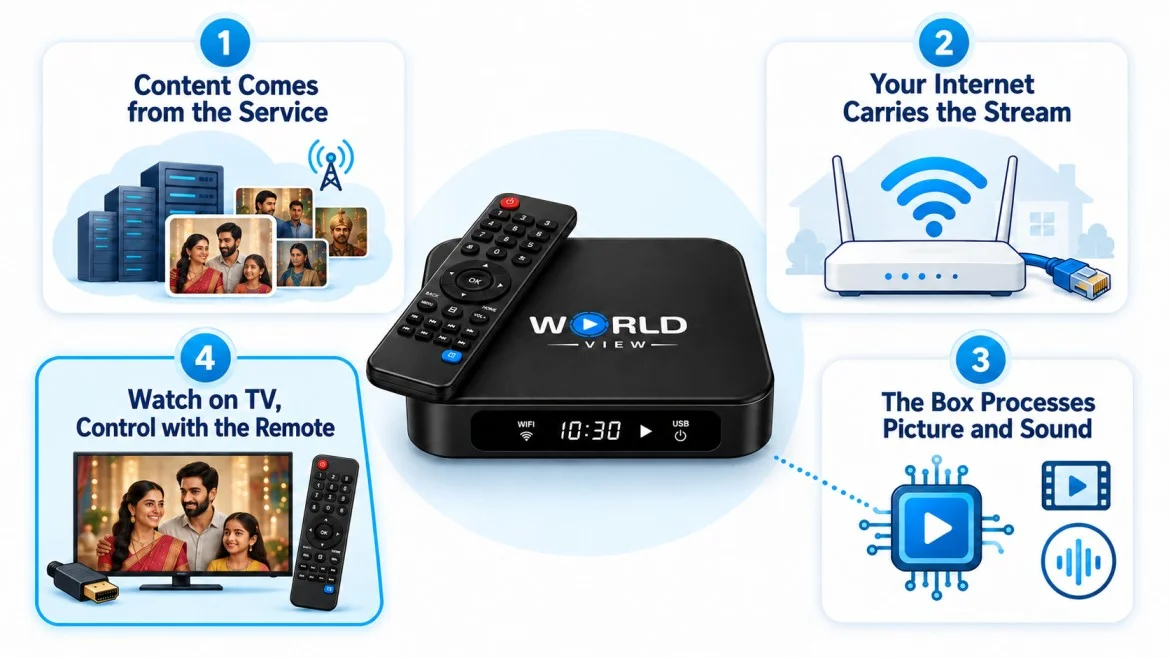
So, how does a Desi TV Box work? Here is what happens behind the scenes. The whole process follows one chain: the provider’s servers, your internet, the box, and your TV. Each step is simple, and you can follow all four.
Step 1: The content comes from the streaming service
Pick a movie or an episode, and your box asks the service for that video. Switch to a live channel, and it asks for whatever the channel is showing right now.
Step 2: Your internet carries it home
Your home internet brings the stream to the box through Wi-Fi or an Ethernet cable. Because the content travels over the internet, a steady connection matters. For example, a weak connection can cause buffering, while a stable one keeps playback smooth.
Step 3: The box turns the stream into a picture
The box receives the stream, decodes it, and prepares the picture and sound. That work stays invisible. All you see is the home screen and your choices.
Step 4: Your TV shows it, and your remote controls it
An HDMI cable links the box to your TV. The TV then displays the picture and plays the audio. Meanwhile, the remote lets you move through menus, select a title, and pause or resume.
Does the Box Come With Movies and Serials? Box vs Subscription
This is the question that confuses most first-time buyers, so here is a clear answer. The box carries the viewing, and the active service supplies the content.
A phone and its plan work the same way. A great phone without a plan cannot make a call. Likewise, the box alone does not stream anything. An active Desi TV Box subscription does. Your activation code activates the box once when registering your new TV account, and then a recharge code adds your subscription.
What comes with your World View HD purchase?
• The box, remote, power adaptor and HDMI cable.
• An activation code for registering your new TV account.
• A free one-year subscription to the World View HD service.
You provide a TV with an HDMI port, a working internet connection, and a power socket. The activation code comes with your purchase.
Before you buy any box, ask the seller one question: “What do I pay after I buy it?” A clear answer saves you from surprises later.
With World View HD, you pay for one thing after you buy the box: the yearly recharge. You owe nothing else, and that single recharge covers your viewing. Questions along the way? Customer support is available 24/7.
What You Need Before You Start
You need only four things:
- A TV with an HDMI port. Most modern TVs have one. Check the back or side panel.
- Internet access. Aim for a steady 10 to 15 Mbps for one HD stream. Wi-Fi works well for most homes, and an Ethernet cable gives a steadier link if your router sits close.
- Power. The box needs a standard power socket.
- Your activation code. You receive it when you buy the box. A recharge code then adds your subscription.
Setting up takes four short moves:
- Plug in: connect the box to your TV with the HDMI cable, then connect the power.
- Connect: join your Wi-Fi network or plug in an Ethernet cable.
- Activate: activate the box with your activation code, then add your subscription with a recharge code.
- Play: pick a title and press play.
For the full walkthrough, visit the World View HD setup guide.
How to Watch Movies on a Desi TV Box
Watching feels more like using a streaming app than flipping through cable. Now, here is what you do from the sofa on a typical evening.
Watching a movie
Start on the home screen. Choose your language, then browse by genre or scroll through the library. When a title catches your eye, select it and press play. If the doorbell rings, press pause. You can pick up the film right where you stopped. If you need help following the dialogue, turn on subtitles.
Following a serial, episode by episode
For example, browse your preferred language or find a series by title, open the series, and choose an
available episode. Select it to start watching. You can choose another available episode when you are
ready to continue the story.
Watching live channels
Sometimes you want the energy of live TV, especially for news, festival specials, or a favourite channel. Switch to the live section, pick a channel, and it plays in real time, much like a regular TV channel.
Live TV and on-demand viewing: what is the difference?
Live TV follows a broadcast schedule. On-demand movies and series let you choose an available title or episode when you want to watch. That flexibility applies to the on-demand library; it does not mean every live programme is automatically available afterwards.
Catch-up is a separate feature for watching earlier broadcasts where a service supports it. If a missed
programme matters to you, ask the service provider team whether it is available before relying on it.
What Can You Watch? Movies, Serials and Live Channels
World View HD offers 10,000+ movies and series combined on demand, alongside live channels.
- Movies: browse films from Bollywood and regional cinema for your next film night.
- Serials and dramas: choose an available series and follow its individual episodes at your own pace.
- Live channels: select an available channel to watch its current broadcast.
The service has content across 15+ languages, including Hindi, Punjabi, Tamil and Telugu. This means the library includes different titles in different languages, not that every title is available in all 15+ languages.
Dubbed versions depend on official availability. Visit the World View HD language page to explore the languages offered.
Is your favourite show available?
Contact the World View HD team with the movie or series title, your preferred language, and your country before buying. The team can help you check availability rather than leaving you to judge by the size of the library alone. Support is available 24/7.
Is a Desi TV Box Right for You?
A Desi TV Box is not the right fit for every home, and that is fine.
It works well if:
- Everyone at home wants Indian entertainment on the big screen, not squeezed onto a phone.
- You would rather run one simple device than juggle separate apps and sites.
- Someone at home is not comfortable with tech. They can still pick a movie with the remote.
Think twice if:
- Your internet keeps dropping, because streaming needs a steady link.
- You only watch now and then on a phone. In that case, a phone app may serve you better.
Ready to Start Watching?
Here is the whole journey in one line: your internet carries the content, the box turns it into a picture, your TV shows it, and your remote puts you in control. Next Sunday evening, your family’s serial can be waiting on the big screen.
Missing the familiar stories that make an evening feel like home? Explore the World View HD box and bring your family together for your next movie night.
FREQUENTLY ASKED
Do I need a smart TV?
You do not need one. The box does the streaming, so a TV with an HDMI port is enough. Check your TV’s ports before you start.
Does it work without internet?
No. The box streams over the internet, so you need an active connection every time you watch.
How fast does my internet need to be?
Aim for a steady 10 to 15 Mbps. If your streams buffer often, try an Ethernet cable or move your router closer to the box.
Can I use it on more than one TV?
Each box works with one TV. If you want to watch on another TV, contact the World View HD customer support team, available 24/7, to discuss your options.