
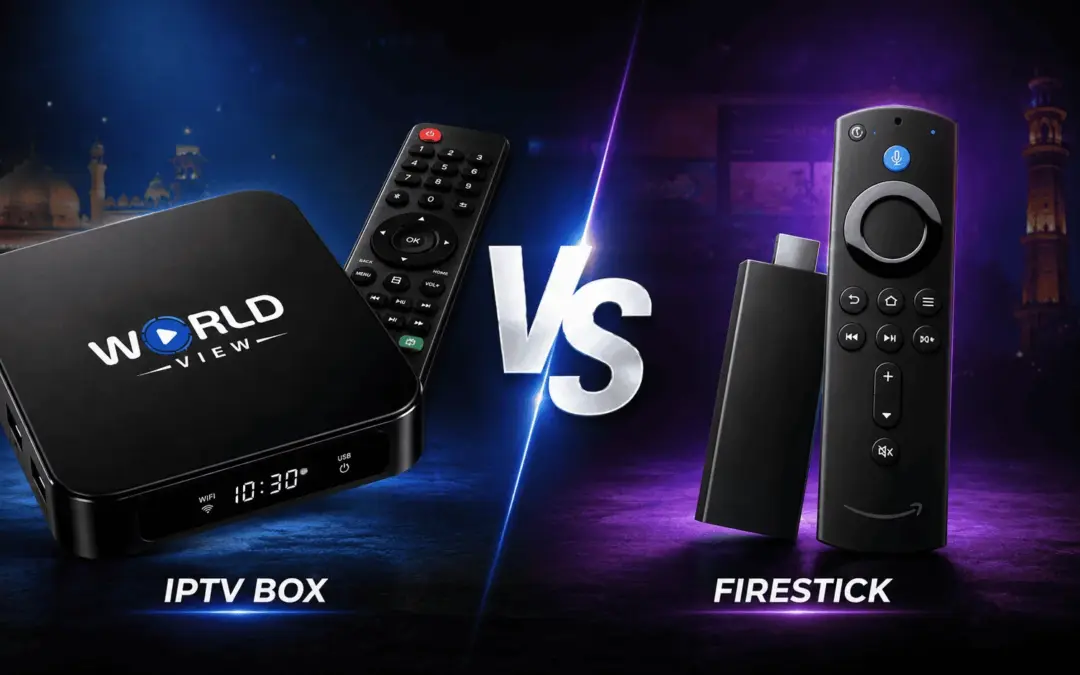
Which Streaming Box Is Best For You: Firestick Or IPTV Box? The Firestick vs. IPTV box debate is one of the more common questions we get from people who are either cutting the cord entirely or replacing their cable box. Most of them come across both devices when they’re scouring the internet for options, and the search phrase “IPTV box vs. Firestick” pops up more than a few times. The good news is they both plug into the TV and promise tens of thousands of channels and endless movies and documentaries. It’s only when you’re trying to stream live cricket or flip through the huge channel list that their differences become apparent.
We set up IPTV boxes at Indian, Pakistani, and Bangladeshi households across Australia, the U.S., Canada, and New Zealand just about every day. Most of them use the boxes to stream Hindi and Urdu dramas and live cricket. In the past year, both categories of devices, the Firestick type and the IPTV box, have changed a lot. If you’re still unsure which is the better device for you, below we list the real differences, many of which might not be covered in many comparisons, be it in terms of price, performance, setup steps, cricket, and, notably, the changes coming in 2026 that most articles haven’t covered yet.
What's the Difference Between a Firestick and an IPTV Box?
Think of a FireStick as a streaming stick built for apps first. An IPTV box, by contrast, works as a set-top box built specifically to receive live television over the internet.
That distinction matters more than it sounds. Amazon builds the Fire TV Stick, and the device runs on Fire OS, a customized version of Android centered on the Amazon Appstore. Amazon designed it first for on-demand apps like Netflix, Prime Video, and Disney+, treating live TV, including cricket coverage, as a secondary feature. Amazon currently sells several models, and each one targets a slightly different budget and performance tier:
- The entry-level Fire TV Stick HD runs Amazon’s newer Vega OS.
- Stepping up in resolution, the Fire TV Stick 4K Select stays Android-based.
- Amazon’s mid-tier pick, the Fire TV Stick 4K Plus, adds Wi-Fi 6 and Alexa+ support.
An IPTV box, on the other hand, covers a broader category rather than a single brand. It includes devices like Android TV boxes, Google TV boxes, and purpose-built hardware such as MAG boxes and Formuler units. Manufacturers generally build these devices around open, Android-based systems, and they design the hardware specifically for streaming live channels, with stronger connectivity and processing for that job.
There’s technically a third option: your Smart TV’s built-in apps. However, built-in smart TV software tends to lag behind in updates and app support, which is exactly why so many households add a separate streaming device instead of relying on the TV alone.
Firestick vs IPTV Box: Quick Comparison Table
Here’s how the two stack up on the factors that actually matter for daily use.
| Feature | Firestick | IPTV Box |
|---|---|---|
| Price | Roughly $30–$60 depending on model | Roughly $60–$180 depending on specs |
| Setup | Plug-and-play; no technician or drilling required | Plug-and-play; no technician or drilling required |
| Connectivity | Wi-Fi 6 or Wi-Fi 6E; no ethernet port on most sticks | Ethernet port standard on most models |
| 4K/HDR support | 4K Ultra HD, Dolby Vision, and Dolby Atmos on higher-tier models | 4K Ultra HD, model-dependent |
| App access | Amazon Appstore; sideloading restricted on newer models | Broadly Android-based, with more open app support |
| Voice control | Alexa and Alexa+ built in | Varies by manufacturer |
| Best for | Casual streaming, budget setups, Alexa users | Heavy live-TV use, cricket season, multi-room homes, Hindi/Urdu/regional channels |
Because both devices connect over HDMI and draw power from a simple cable, neither one requires a technician visit or any drilling into your walls, a real advantage over traditional satellite or cable installation.
Prices above are approximate AUD figures and vary by retailer and model; confirm current pricing before you buy.
Setup and Ease of Use
Setting up either device takes about ten minutes, and neither requires special skills, a real plus if you’re a beginner who’s never configured a streaming device before.
You connect the device to your TV’s HDMI port, plug the power cable into a wall outlet, and follow the on-screen prompts to connect to your Wi-Fi network. From there, you sign in with your streaming or IPTV credentials, and you’re watching. You never need to drill cables through your walls, and no technician needs to visit your home. A genuine advantage over the old-school satellite dish installation many households remember, whether you’re setting up in Sydney, Toronto, Auckland, or Houston. Our own IPTV Box Setup guide walks first-time users through each step in more detail.
The menu layout differs slightly between the two. Firestick’s interface centers on app tiles and personalized recommendations. Most IPTV boxes, meanwhile, lean toward a more traditional channel-list interface, which tends to feel more familiar to anyone coming from cable or satellite TV.
So, do you need a separate IPTV box if you already own a Firestick? Not necessarily. You can run IPTV apps on a Firestick, provided your model and software still allow it. A point worth unpacking further below, because that answer changed significantly during 2025 and 2026.
Setup and Ease of Use
This is the section most buyers actually care about, because a device that looks great on paper but stutters during a live match isn’t worth the money.
Buffering and freezing usually come down to one thing: connection stability, not raw processing power. Because most IPTV boxes include a built-in Ethernet port, you can connect directly to your router with a cable instead of relying on Wi-Fi. A wired connection carries a more stable, consistent bandwidth, which matters enormously when you’re switching channels quickly or watching content that depends on a steady stream, like a live cricket match.
Firesticks, by contrast, rely on Wi-Fi almost exclusively. Newer models support Wi-Fi 6 or Wi-Fi 6E, which helps significantly with congestion when multiple devices share the same network. However, a wireless connection is still more susceptible to interference from walls, distance from the router, and other household traffic than a direct Ethernet line.
Processor, RAM, and cooling also play a role. A stronger processor loads apps faster and switches channels with less lag, while better cooling prevents the kind of throttling that causes slowdowns during extended viewing sessions. Manufacturers purpose-build dedicated IPTV boxes for continuous live-channel streaming, so many engineer them specifically for this kind of sustained use, whereas a streaming stick stays a smaller, more general-purpose device.
Ultimately, most IPTV box vs Firestick buffering complaints trace back to the same root cause: a weak or congested Wi-Fi signal rather than a weak processor, and this becomes especially noticeable during cricket season, when households often flip between match feeds or run a second stream for a different game.
In short: if your home Wi-Fi is strong and centrally located, a Firestick performs well for most everyday streaming. If you’re running IPTV heavily across multiple TVs or watching live channels for hours at a time, a wired IPTV box tends to deliver a more consistent experience.
Can You Use IPTV on a Firestick? (Sideloading and App Access in 2026)
Yes, you can use IPTV apps on a Firestick, but this is exactly where 2026 changed the picture, and it’s worth understanding before you buy.
Historically, Firestick’s biggest advantage for IPTV use was sideloading: installing an app outside the official Amazon Appstore, typically using a tool called the Downloader app. This let users add IPTV player apps and media tools like TiviMate, IPTV Smarters Pro, OTT Navigator, XCIPTV, or Kodi, none of which Amazon’s store carries.
Two different operating systems now split that flexibility. Fire OS, which still runs on Android-based models like the Fire TV Stick 4K Plus and Fire TV Stick 4K Max, continues to allow sideloading through Developer Options. However, Amazon’s newer Vega OS, which now ships on entry-level models like the 2026 Fire TV Stick HD, removes sideloading entirely. No workaround exists because the capability simply doesn’t exist on that software.
On top of that, Amazon began actively blocking certain sideloaded apps in late 2025, specifically targeting ones it identifies as providing access to unlicensed content. According to reporting from AFTVnews, Amazon is working alongside the Alliance for Creativity and Entertainment (ACE), an anti-piracy coalition backed by major studios and networks, to identify and restrict these apps at both the install and launch stage.
For everyday viewers, this means two things. First, check your device model and OS before assuming you can sideload. Settings, then My Fire TV, then About will tell you which software your Fire TV Stick runs. Second, if flexible app access matters to you, an Android-based IPTV box currently offers a more open path than Amazon’s newest hardware.
Which Is Better for Watching IPL and PSL Live?
For cricket specifically, and IPL and PSL in particular, a wired IPTV box generally holds the edge.
Live cricket is the least forgiving use case for buffering, because a few seconds of lag during an over or a wicket ruins the experience, and during IPL and PSL season, many households are also running two screens at once to catch overlapping matches. Since IPTV boxes typically connect via Ethernet, they avoid the Wi-Fi interference that can cause a Firestick to briefly drop frames or freeze during peak traffic hours, which matters most during the evening match slots both tournaments are known for. If cricket season is a regular fixture in your household, prioritize a wired connection over convenience.
Note: Always confirm which cricket and sports channels your IPTV provider carries before subscribing; availability varies by package.
Which Is Better for Multi-Room or Whole-Home Setups?
Larger households tend to lean toward IPTV boxes, mainly because of how subscriptions and hardware scale across multiple TVs.
Suppose several family members want to watch different channels in different rooms at the same time. One TV on a cricket match, another on a Hindi or Urdu drama, a dedicated IPTV box on each TV, connected to a stable network, usually delivers a more consistent experience than relying on Wi-Fi-only sticks throughout the house. Firesticks still work perfectly well for single-room or secondary-TV setups, particularly where budget is the main priority.
Best Choice for Indian and Pakistani Households
If your household watches content in languages like Hindi, Urdu, Punjabi, Tamil, Telugu, or Bengali, this is one of the more overlooked factors in the Firestick-versus-IPTV-box decision, and it’s especially relevant for Indian and Pakistani families across Australia, the US, Canada, and New Zealand balancing local viewing with entertainment and sports from home. Punjabi-speaking households in particular often sit across both audiences, since the language is widely spoken on both sides of the border.
Providers typically distribute this kind of regional and cricket-heavy programming through IPTV rather than mainstream app stores, so a dedicated IPTV box, built with international channel support in mind, often delivers a smoother experience than piecing together the same channels through sideloaded apps on a Firestick. For families who split their viewing between English-language content, Hindi and Urdu entertainment, and cricket coverage from home, this frequently becomes the deciding factor. Our guide on how to watch Indian channels in Australia covers this setup in more detail.
Firestick vs IPTV Box: Which One Should You Choose?
There’s no single right answer here; it depends on how you actually watch TV.
| Choose based on | Firestick | IPTV Box |
|---|---|---|
| Content you watch | Mainly on-demand content through apps like Netflix and Prime Video | Lots of live television, especially cricket during IPL and PSL season |
| Budget | You're working with a tighter budget | Better suited when you're looking for a more capable dedicated streaming device |
| Home Wi-Fi | Your home Wi-Fi is strong and reliable | You want a wired connection for the most consistent performance |
| Streaming setup | You want a simple, low-friction device for casual streaming | You're setting up multiple TVs across your home |
| Language & channels | Standard streaming apps meet your entertainment needs | Your household relies on Hindi, Urdu, Punjabi, Tamil, Telugu, or Bengali channels |
| Location | You mainly need mainstream streaming services | You're in Australia, the US, Canada, or New Zealand and want reliable access to channels from home |
The wired connection, broader app support, and purpose-built design make an IPTV box the more dependable choice for heavier IPTV use across multiple TVs, and for households that don’t want to compromise on cricket, Hindi, or Urdu programming.
If you’ve landed on a dedicated box as the better fit for your home, our IPTV Box is built specifically for this kind of use, with wired connectivity and support for a wide range of local, Indian, and Pakistani channels.
FREQUENTLY ASKED
Is an IPTV box better than a Firestick?
For heavy live-TV use, sports, or multi-room setups, an IPTV box’s wired connection and purpose-built design generally deliver more consistent performance. For casual, on-demand streaming, a Firestick is often the simpler and cheaper choice.
Do I need an IPTV box if I already have a Firestick?
Not necessarily. You can run IPTV apps on a Firestick if your model still supports sideloading, though newer Vega OS devices no longer allow it. A dedicated IPTV box remains the more reliable option for consistent, high-volume live-TV use.
What's the difference between an IPTV box and a Firestick?
A Firestick works as a general-purpose streaming media player built around Amazon’s app ecosystem, while an IPTV box uses purpose-built hardware that manufacturers design specifically for receiving live television over the internet, usually with a wired ethernet connection.
Can you use IPTV on a Firestick?
Yes, on Android-based Fire OS models, through sideloaded apps. Newer Vega OS models don’t support sideloading at all, and Amazon has been actively restricting certain sideloaded apps since late 2025.
Which is better for Hindi, Urdu, Punjabi, Tamil, Telugu, and Bengali channels?
A dedicated IPTV box generally offers broader, more reliable access to this kind of regional programming, since providers distribute most Indian and Pakistani channel packages through IPTV rather than mainstream app stores. A Firestick can access some of this content through sideloaded apps, but that depends on your model and current software.